You do the sessions. We do the paperwork.
SpedReports writes your progress reports in your own style and fills in your monthly DOE invoice from your session calendar. You check it and submit it yourself.
- No card to start
- Word & PDF export
- Written in your style
- You review and submit the invoice yourself

Progress reports
A complete, DOE-ready report from just a grade and an age, in about 2 minutes, written in your own style and different for every child. Add real data whenever you want.
Automated DOE billing
Every month each student's session calendar is built for you. Take off the days off you choose, confirm the sessions, and the DOE invoice is filled in for you. You review it and submit it yourself.
One place for every related-service provider's reports and DOE billing
 SETSS
 Speech
 OT
 PT
 Counseling
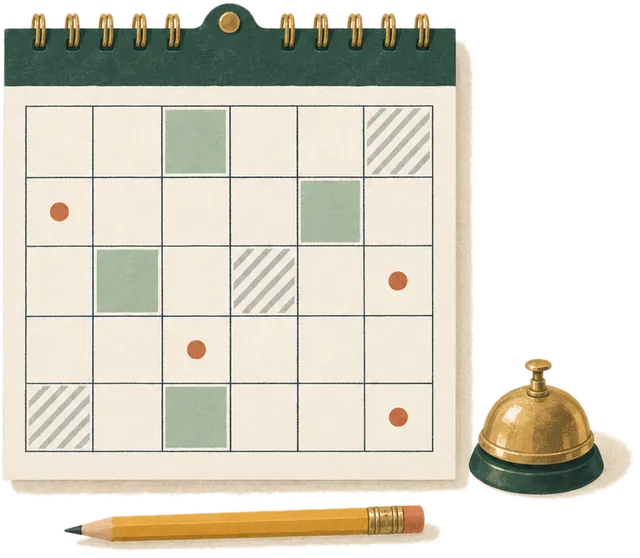
Monthly DOE billing, filled in for you.
Connect the DOE vendor portal once, and your students come in with their mandates (or add a student yourself). From then on, every month:
- 1
Your sessions, laid out per student
Each student's weekly times become a month calendar of their scheduled sessions, every student on one calendar.
- 2
Mark the days off
Tick Yom Tov, Chol HaMoed, Chanukah, legal holidays or DOE closures, or upload the school's calendar. Nothing is taken off unless you choose, and any day can be added back.
- 3
Confirm, and the invoice is filled in
Confirm the sessions happened, one student at a time or all at once. SpedReports fills in the DOE invoice in the vendor portal and emails you when it's ready.
- 4
You review and submit
Open the invoice on the portal, check it, and submit it yourself. SpedReports fills it in and stops there; the submit button is always yours.
10 credits per student per month.
Three steps. Only the grade and age are required.
 1
Grade and age
The only thing we need. Name, mandate, school and ID are optional. Have last year's report? Upload it and we pull out the student, areas, levels and goals, then update everything for the time that has passed.
 2
Notes and a few questions, if you like
Type or dictate a few words: strengths, struggles, what you worked on. Rough notes are perfect. Every question has a “Decide for me” button.
 3
Download Word or PDF
A clean DOE layout with the functioning-level table and signature, in your own style, in about two minutes.
Try it right now.
Pick a grade, a service and a writing style. Simple is plain, everyday English, one paragraph per area; Formal DOE has headings, measurable goals and progress data. Either way it is a real report for a sample student, different every time.
- Matched to grade-level expectations, Pre-K to 12, for SETSS, speech, OT, PT and counseling
- Names the interventions and programs you actually use (Wilson, LiPS, Seeing Stars, V/V…)
- Your own reports are then written in your style
Real output for a sample student. Your own reports are also written in your style. Press “New version”: it never comes out the same twice.
Two minutes for everyone. Your own data whenever you want.
Sounds like you
Learns your tone, headings and phrasing from past reports, then keeps learning from every edit you make.
Never the same twice
Every report is written fresh for that child, in your style, and wording you've used recently is avoided.
Private by design
Student details are encrypted. Only you can see them; if you work through an agency account, its owner and admins can view and export your reports. Delete a student or your account anytime.
Real data in 5 minutes
78 printable assessments, simplest first. Enter the results and they appear in the report exactly as scored.
Next year in one click
Every report is saved per student. Next year's report starts from this one, updated for the new grade.
Word & PDF export
Clean DOE layout with the functioning-level table and signature, ready to sign.
Real data, without the paperwork.
78 printable assessment tools, simplest first. Print one, give it, enter the results, and they appear in the report exactly as scored. Assessments are free to use.
Start freeBuy credits. Spend them on reports and billing.
A full report is 25 credits and includes 1 AI edit. Automated DOE billing is 10 credits per student per month. Extra AI edits are 2 credits. Learning your style is free. New accounts get 30 free credits.
- Starter$1450 creditsGet started
- Small caseload$26100 creditsGet started
- PopularCaseload$36150 creditsGet started
- Best valueFull season$55250 creditsGet started
Purchased credits never expire. Full pricing and agency plans
Includes your first AI edit. Extra AI edits are 2 credits. Automated DOE billing is 10 credits per student per month. Learning your style is free. New accounts get 30 free credits, and packs start at $14 for 50 credits.
See credit packsAgency plans are available: shared credits, invitations and a team dashboard. The agency's owner and admins can view and export their providers' reports; nobody outside the agency can.
Request a demoGood questions, straight answers.
Do I really only need the grade and age?+
Yes. With just grade and age you get a complete, professional report: functioning levels, annual goals, progress, classroom examples, strategies and recommendations, all matched to that grade and written as a report about that child. Add as much or as little as you want.
Won't every report sound the same?+
No. Every report is written fresh for that child, wording you've used recently is avoided, and the final version is written in your style.
Does SpedReports submit my DOE invoice?+
No. Once you confirm a month's sessions, SpedReports fills in the invoice in the DOE vendor portal, stops there, and emails you that it's ready. You open it on the portal, review it and submit it yourself. The invoice is only filled in for a month that is over, and you can take a queued month back to edit it.
How do credits work?+
Buy a credit pack once and spend the credits on reports, AI edits and DOE billing. You always see the cost before anything is charged, and purchased credits never expire. New accounts start with free credits.
How does it learn my style?+
Upload one to six of your past reports (free) and we learn your tone, headings, section order and favorite phrases. Every edit you make afterwards teaches it more.
Is student data safe?+
Student details are encrypted with AES-256 before they're stored, every account's data is isolated, uploaded files are never stored, and you can delete a student or your whole account in one click.